 RU
RU  EN
EN First-Time Reminder Settings
The fact is that modern smartphone manufacturers strive to maximize battery life on a single charge to match their advertising promises. Therefore, they try to “optimize” the performance of applications by disabling background processes and signals. Because of this, reminders, alarms, etc. may not work, or work incorrectly. To avoid this, you need to grant the app the appropriate permissions and configure some settings when you first set a reminder. These settings may vary slightly depending on your phone model and Android version. We'll look at the first-time setup settings using the classic Pixel 9 Pro model as an example.
Requesting permission to send notifications.
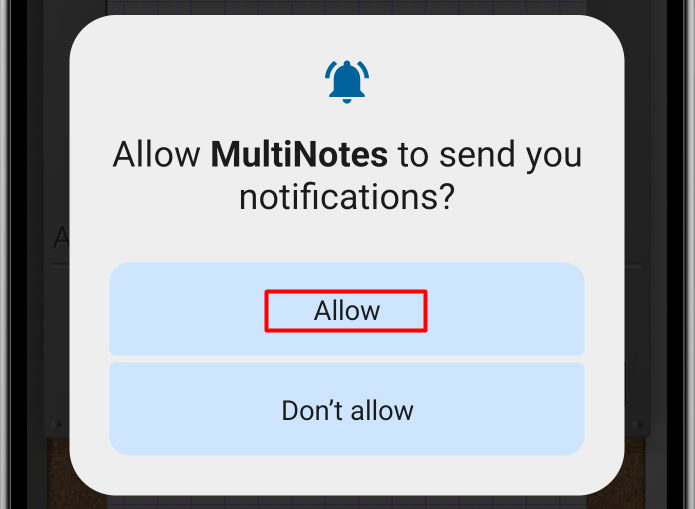
This permission is required because one of the reminder modes is sending a notification. Another reminder mode is an alarm clock, and in order for it to work at any time, you need to give the application permission to run over other applications.
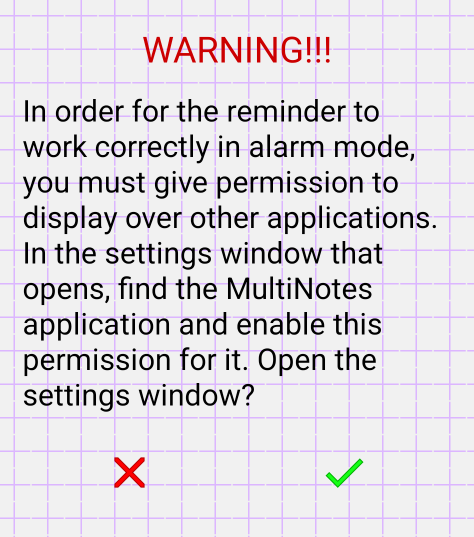
Unfortunately, only the user can enable this setting. Therefore, click the green checkmark to open the settings window.
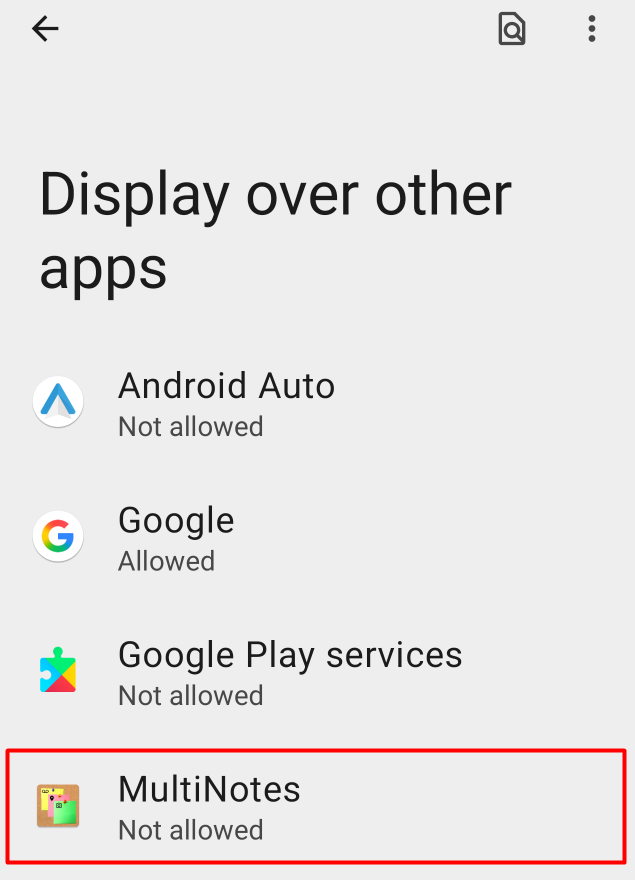
In the list of applications, find and select the MultiNotes application. You'll see the settings window:
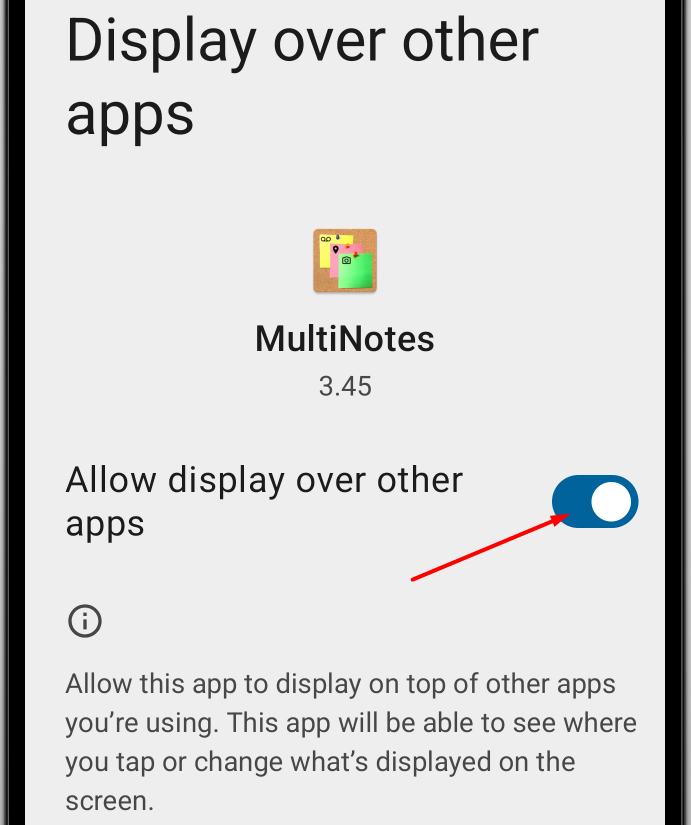
Turn on the switch to allow the app to run on top of other apps. Then, close the settings by clicking the back arrow in the upper left corner.
Next, you will see a warning about the need to disable battery optimization for this app:
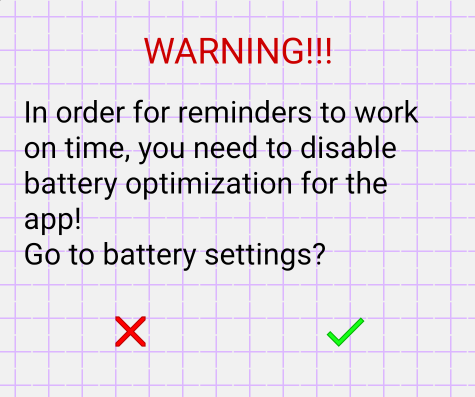
Tap the green checkmark to access this permission's settings. On some phones, this will open a settings window, as in the previous step, but on the Pixel 9 Pro, simply granting permission is sufficient:
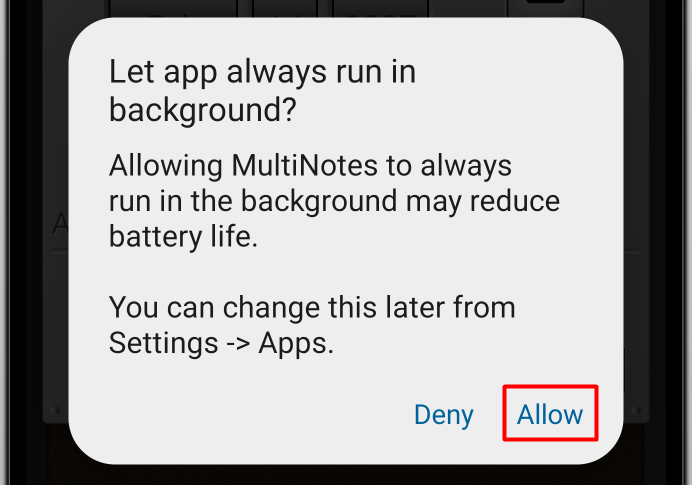
Finally, all permissions have been granted, and you can begin setting the reminder.
Let me remind you again, all this only needs to be done once, when you first set the reminder! Next, a window for setting a reminder will immediately open.
Note 1:
This section lists all the permission requests. However, some permissions may have been granted by you earlier, while others are not needed for devices with earlier versions of Android. Therefore, it is okay if some stage is missing on your phone.