 RU
RU  EN
EN Setting the date and time
The reminder setup window looks like this:
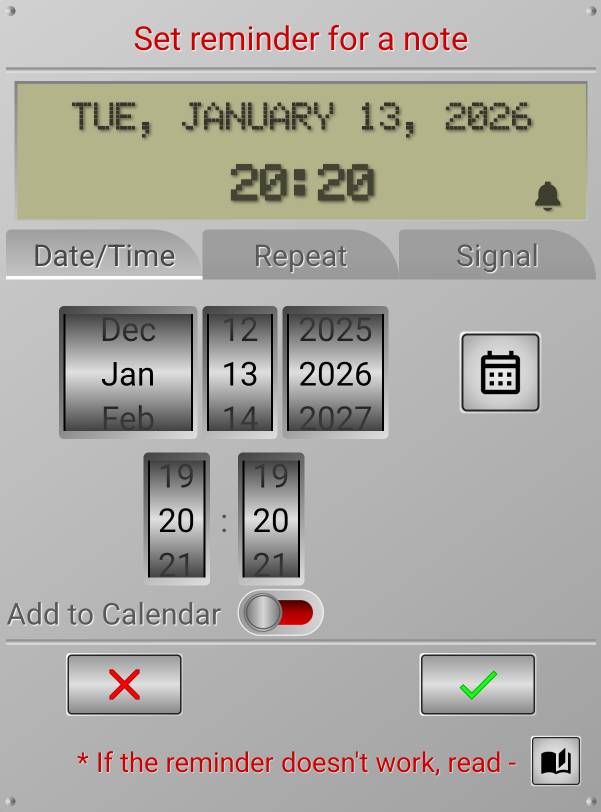
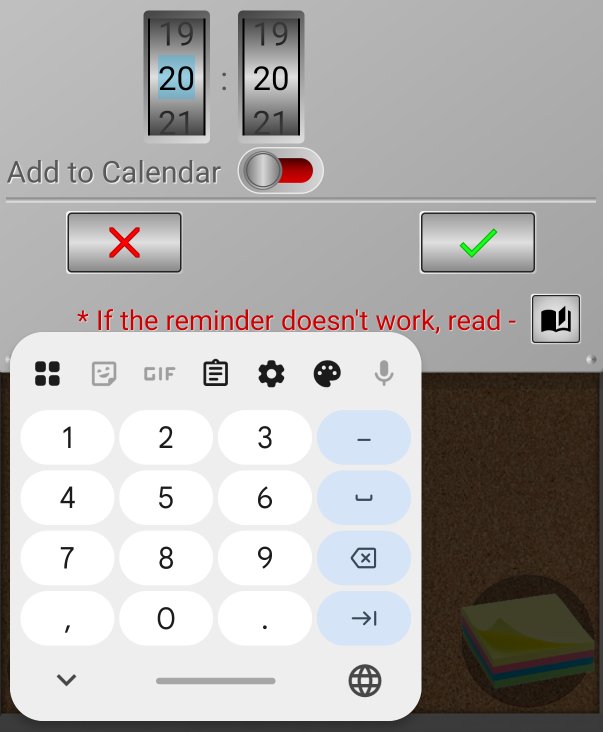
Set the date and time of the reminder by rotating the wheels on the screen with your finger. If this option doesn't seem very convenient to you, you can simply click on the desired wheel and enter the number from the keyboard:
The set date and time are displayed on the display at the top of the window. When selecting a date, you can use the calendar by pressing the button to the right of the date selection wheels. After that, you can click on the green checkmark to set a reminder.
Note 2:
Please note that the reminder date and time must be set in the future! If the selected time has already passed, the green checkmark will be inactive and you will not be able to click it.
After setting a reminder, you can immediately pin this note to the app's calendar. In this case, you will see the scheduled event not only on the board, but also in the calendar. To do this, enable the "Add to calendar" option.