 RU
RU  EN
EN
Add a location
A location is the coordinates on the map that you can use to determine the location of an object. This feature can be useful, for example, if you're in an unfamiliar city near an object whose location you'd like to remember. Now you don't have to remember the route or any other landmarks. Simply add the coordinates to a note, and you'll always be able to see the location on the map. To add a location, simply select this menu item.
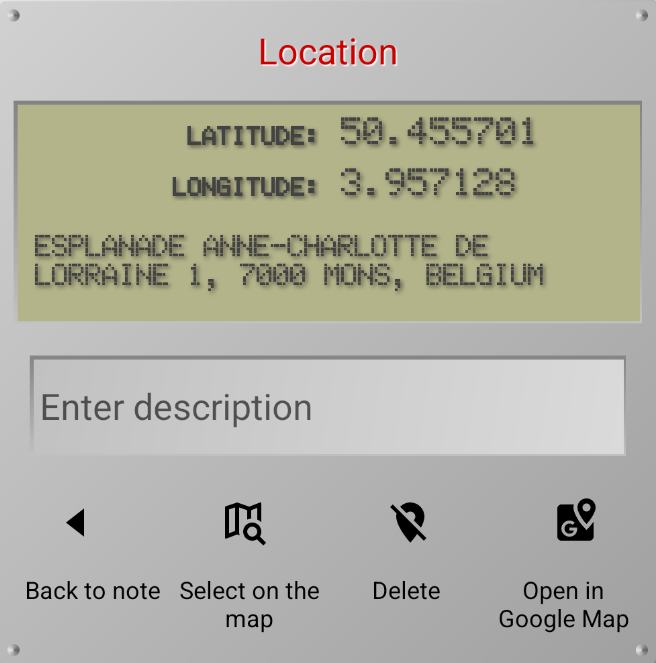
In the window that opens, you'll see the geographic coordinates (latitude and longitude) of your current location. If this point is located within a populated area, the postal address will be displayed. This information may not be displayed immediately; sometimes you need to wait a few seconds while the geodata is loading. After clicking the back arrow, the coordinates will be added to your note.
👉 You can add your own description to the location, for example, what exactly is located at this address.
👉 You can delete a location from a note if you no longer need it. A warning window will appear asking you to confirm your action.
👉 You can add not only your current location, but also select the desired place on the map. To do this, click the "Select on Map" button. You will see an electronic map and the current location selected on it:
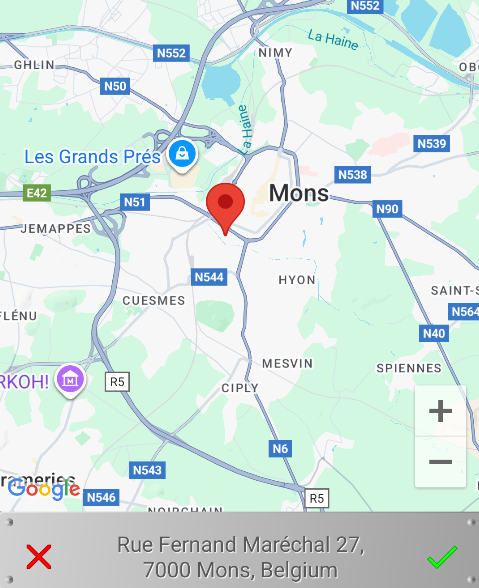
Find the new location on the map that you want to add to the note and select it by pointing your finger at it. The marker should move to that location and the mailing address should appear at the bottom of the window. Click the green checkmark to save the new location. You'll see a warning that your previous location will be lost, so confirm your action.
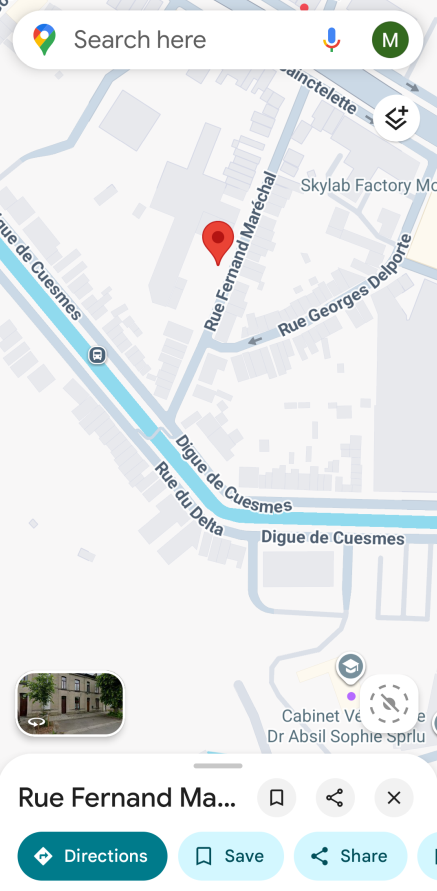
To access more map features, such as getting directions, viewing information about points of interest, and more, you can open Google Maps. To do this, click the appropriate button and you will see the selected location on the Google Map service:
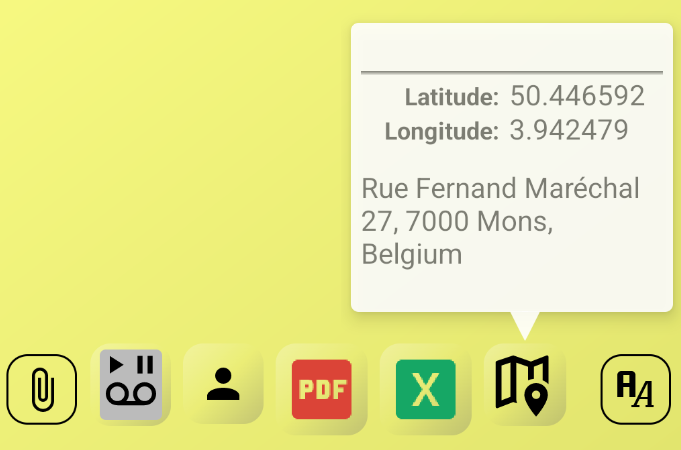
In the note, the location and preview will look like this:
Note 5:
When using the app for the first time, you may be asked to grant permission to use location services. It's recommended to allow precise location services.